
MEDIEVAL REAL TIME STRATEGY How to Redeem Medieval RTS Codes
Skins button, Enter Code box, then try RTS or 2K once.
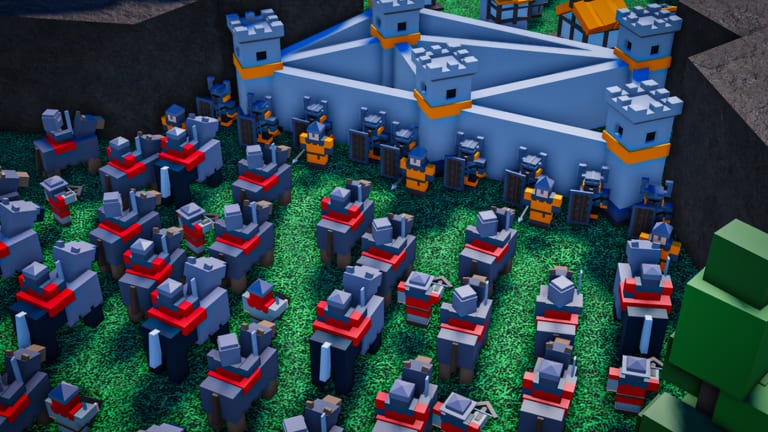
The code box in MEDIEVAL REAL TIME STRATEGY is easy to miss. Spling tucked redemption inside the Skins panel rather than a dedicated Codes button, so new players often finish a whole match without ever seeing it. This walkthrough covers the lobby path on PC and mobile, what to type, and what an invalid message actually means. For the current community list, stay on the Codes Hub. For rumor strings, use the expired and unconfirmed codes page.
Codes grant coins, not the gold that funds windmills and Barracks during a match. Redeem before you queue so you are not fumbling with UI while enemy swordmen walk onto your farms.
Step-by-step on PC
- Launch MEDIEVAL REAL TIME STRATEGY from Roblox and wait until you are in the experience, not just the website page.
- Look at the left-hand side of the screen. Above Help you should see a t-shirt / Skins icon.
- Click Skins. A panel opens with cosmetics and, near the top, a text field labeled Enter Code.
- Click that field. Paste RTS or 2K exactly as written on the working codes list. Do not add spaces, hyphens, or the word Redeem.
- Press Enter or the confirm control next to the box.
- Watch for a success toast or an invalid / already used message. Either way, close the panel and play.
If the Skins icon is hidden behind another menu, close chat, map, or settings first. Fullscreen can hide the left stack on ultrawide layouts; drag the window or toggle UI until the t-shirt returns.
Mobile and tablet
Touch controls use the same Skins entry. Tap the t-shirt on the left, tap Enter Code, then paste from your clipboard. On-screen keyboards love to insert a trailing space or autocorrect 2K into something else; delete extras before confirming. If paste is blocked, type the three letters of RTS in capitals, or the digit 2 and the letter K.
Do not redeem in the middle of a fight. Builders idle, mills stay unbuilt, and a Knight can walk through your gate while you are staring at a text box. Claim codes in the lobby or during the pre-match pause, then go back to the opening build planner.
What to type (and what not to)
Community roundups through 2025 listed RTS for 500 coins and 2K for 1000 coins. Those strings may already be expired. Try each once. Do not loop them, do not add dates, and do not trust comments that invent extra working codes. This wiki will not invent any either.
Older or unconfirmed strings such as MEDIEVAL2023 and VITORIA belong on the expired codes page. You may test them after RTS and 2K, but expect a rejection.
Copy-paste beats memory. RTS is three letters; 2K is a digit plus a letter. People still type RTS2025, 2k with a lowercase k, or 2000 written out. The box is unforgiving.
Reading the result
- Success - coins land on the account. Spend them on skins in the same panel if you want; they do not become match gold.
- Invalid - typo, expired, or never a real code. Stop.
- Already redeemed - your account already ate that string. You will not get a second payout.
- No message - you confirmed on an empty field, or the UI ate the click. Click the box again, confirm there is text, and retry once.
If every known string fails, claim the daily login streak instead. Consecutive days pay currency even when promo codes are dead. Then queue: matchmaking is 1-5 and 6+, and Ranked unlocks after level 7. Destroying enemy castles still wins matches, codes or not.
Common mistakes
Redeeming while selected on a builder is a classic. You think you are typing a code and instead you issue a move order. Deselect units, open Skins, then type. Another mistake is confusing lobby coins with match gold and wondering why a successful code did not let you skip the third windmill. Mills still come from builders on farms; see Getting Started if that loop is new.
A third mistake is paying someone to redeem for you. Codes are free, short, and bound to your account. Anyone offering a bulk pack is selling either expired strings or an executor. That path is how accounts get stolen. Read script safety before you install anything that claims to auto-enter codes.
After a successful redeem
Close Skins. Pick a mode, spawn at your castle, recruit builders, and walk them to farms. Plant three or more windmills before Barracks. Houses, outposts, and fishing boats (on water maps) add extra gold, but mills are the spine. Alliances can share a front, yet only castle kills end the game. If you want a roster reminder after the lobby, open the unit roster planner.
Return here only when a patch note on the changelog mentions codes, or when a Discord post from the community actually shows a new short string. Until then, the Skins box is a one-minute chore, not a strategy.
Frequently Asked Questions
Quick answers for codes, ranked, windmills, and siege fights.
Where is the Enter Code box?
Click the Skins button (t-shirt icon) on the left of the screen. The Enter Code field sits at the top of that panel, not in Help and not in settings.
Do I redeem codes in a live match or in the lobby?
Lobby is safer. Opening Skins during a fight leaves builders idle and farms undefended. Redeem first, then spawn at your castle.
Why did RTS or 2K fail after I typed it?
The string may be expired, already used on your account, or mistyped. Try once with copy-paste, then ignore it. Check the Codes Hub before hunting rumors.
Can I redeem the same code twice?
No. Already redeemed means your account already received that payout. There is no second grant.
Does redemption work on mobile?
Yes. Use the same left-side Skins icon, paste into Enter Code, and delete any autocorrect spaces before confirming.
What should I do if no codes work?
Claim the daily login streak and play the economy. Codes are optional lobby coins; windmills and units still decide who destroys the enemy castle.